Friday, April 29, 2011

Handling Double Quotes in Regex for Bash-Style Variables

Expanding on Sunday's post, I want to add double quote handling to the regex for Bash-style variables.  This can be done similarly to the single quote handling, with a couple of wrinkles.  A double-quoted string may contain escaped quotes, which do not terminate the string, but instead cause literal double quote characters to be included in the string.  The escape character is the backslash. A double-quoted string may also contain single quotes, which are interpreted literally.
$ BAZ="\"DON'T PANIC\" in large, friendly letters"
echo $BAZ
"DON'T PANIC" in large, friendly letters
The double quote analog of the single quote regex looks like "[^"]*", but that won't handle the escaped quotes. A regex of \\" will, but only once. To combine these regex, I use the same approach as before, moving the * from the first regex to the combined regex, and weighting the regex to prefer \\". The combined regex is "(\\"|[^"])*".

$ cat in
BAZ="\"DON'T PANIC\" in large, friendly letters"
$ perl -ne 'print "$&\n" if m/"(\\"|[^"])*"/' in
"\"DON'T PANIC\" in large, friendly letters"

Notice, this doesn't match the key portion of the variable line. I'll address that in the next post.

Sunday, April 24, 2011

Regex for Bash-style Variables

Returning to the regex from Friday's post, the first thing to understand is context.  What should it match and what should it not match?  Here, I want to match key-value pairs.  These kvp's are written using Bash (or rather Bourne shell) syntax, for example:
FOO=42
BAR='easter bunny'
Trivially, .* will match these lines, or any line for that matter, so what should our regex not match?  I'll start by excluding comments at the end of the line.
FOO=42 # answer to the question
BAR='easter bunny' # hippity hoppity
A regex of [^#]* would do the trick, except that a # character might appear within a string.
FOO=42 # answer to the question
BAR='easter bunny #2' # hippity hoppity
A regex of '[^']*' works for the quoted string, but not for the text leading up to the quote and not for the line without quotes.  These two regex can be combined, but the results aren't quite right.
$ cat in
FOO=42 # answer to the question
BAR='easter bunny #2' # hippity hoppity
$ perl -ne 'print "$&\n" if '"m/[^#]*|'[^']*'/" in
FOO=42
BAR='easter bunny
$ perl -ne 'print "$&\n" if '"m/'[^']*'|[^#]*/" in
FOO=42
BAR='easter bunny
The matches are actually the same as for the first regex alone, regardless of the ordering.  The [^#]* regex is partially consuming the quote, rather than the second regex consuming the whole quote.

My favorite solution to this problem is to weight the combined regex in favor of the quote-matching portion.  I do this by removing the * from [^#]*.  The combined regex then matches either a whole quoted string or a single non-# character.  I then put a * on the combined regex, so it repeatedly consumes quotes or single non-# characters.
$ perl -ne 'print "$&\n" if '"m/('[^']*'|[^#])*/" in
FOO=42
BAR='easter bunny #2'
Now, the order of the subexpressions is important.  Next time, I'll expand this to handle double-quoted strings.

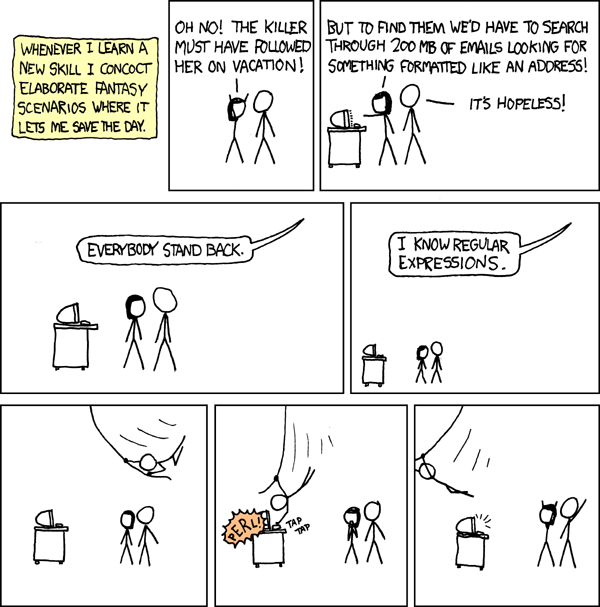
Courtesy of xkcd


Recommended Reading: Learn One Sed Command

John D. Cook has a nice blog post extolling you to learn just a little sed.
http://www.johndcook.com/blog/2011/04/19/learn-one-sed-command/

Saturday, April 23, 2011

Meaning of "Write-Only"

Chatting with Joan about the blog, I realized that the term "Write-Only" may not mean the same thing to everyone. To say what it means to me, I'll quote the jargon file:
write-only code /n./ [a play on `read-only memory'] Code so arcane, complex, or ill-structured that it cannot be modified or even comprehended by anyone but its author, and possibly not even by him/her. A Bad Thing.

Friday, April 22, 2011

Hello World!

At the SouthEast LinuxFest, on June 11, 2011, I'll be giving a talk on advanced regular expressions.  As a regex becomes more complex, it quickly becomes hard to read.  This idea inspired the blog name, Write-Only Code.  While that term typically carries a derogatory connotation, I'm embracing it here.  I hope to show how expressions may be built in a step-wise fashion with abstraction.  Even if the end result looks like line noise, the expression may be understood by the process of its construction.  Here's an example from a perl script:


s/^((?:"(?:\\.|[^"])+"|'[^']+'|[^#])*).*$/$1/; 


In the next post, I'll build this up in steps with explanations along the way.