Friday, November 11, 2011

Quick Tips - grep ps output

I use regular expressions in plenty of programs and scripts, but even more than that I use them on the command line. Here's a quick tip on grep'ing the output of ps.

Instead of this tired old command line trope:
ps -ef | grep foo | grep -v grep
try this:
ps -ef | grep '[f]oo'

$ ps -ef | grep vim
dg 14823 14739 0 15:12 pts/0 00:00:00 grep vim
dg 21295 13905 0 Nov09 pts/0 00:00:01 vim -R main.c
$ ps -ef | grep vim | grep -v grep
dg 21295 13905 0 Nov09 pts/0 00:00:01 vim -R main.c
$ ps -ef | grep '[v]im'
dg 21295 13905 0 Nov09 pts/0 00:00:01 vim -R main.c
This works because the regex [v]im contains a character class matching the single letter v. This will match the string vim in the ps output, but will not match the grep, i.e. the character class [v] does not match the string [v].

Friday, June 17, 2011

A Rant: Comments in Regex

I've followed a tenet for a long time that comments in code should explain why, not how. This tenet is founded on years of debugging code. When a programmer writes a comment explaining how something works, they are actually saying how they think it should work, which is rarely how it actually works. These type of comments are actually harmful in that they can prejudice the reader's understanding and hide flaws which might otherwise be visible. Since I can't really know what's in a comment until I read it, I try to read the code first without reading the comments, to form my own idea of its workings.

Comments in regular expressions typically say how something matches, not why. When a regular expression is not matching as expected, these sort of comments are worse than useless, tainting expectations of the code at hand. Given the terseness and complexity of large regular expressions, it hardly matters whether the author of the expression and comments is separate from the reader or one and the same. When looking at my old code, I regularly have to stop and think about a regex, but I believe that it is time well spent. Every time I find a bug, it reinforces that programming is a human endeavor, and as such is never perfect. Recently, I used one of my old scripts as an example in the SELF 2011 talk. This is a script I've used for years, and as I was looking at it on the slide, I saw where I had put s,^./,, when I meant s,^\./,,.

Abstraction is a tool for managing complexity, and it can be used with regular expressions too. Here's an example from a ruby class:

numrange = /\d+(?:-\d+)?/
numlist = /#{numrange}(?:,#{numrange})*/
step = /\/\d+/
numspec = /(?:\*|#{numlist})(?:#{step})?/

This code tries to be self-documenting, so the intent is explicit in the choice of names. This is akin to a comment, but is simplistic enough to be instantly validated. Since more complex patterns are built using prior abstractions, each can be understood and validated with little effort.

Monday, June 13, 2011

My fond regards to PHP

Advanced regex with PHP

Some love for the php world in this one... and a reminder to myself that a rant on comments in regex is overdue.

Sunday, June 12, 2011

Slides from Southeast LinuxFest 2011 talk

Regular Expression Practice UPDATE: Here is a video of the talk and the link:

Lazy day links

The talk at SELF 2011 is done - Whew! I'll get around to posting the slides soon, but for now, I just wanna be lazy and post a link or two.

"Crucial Concepts Behind Advanced Regular Expressions" offers an interesting mix of concepts, ranging from everyday usage (greedy/non-greedy, and word boundaries) to the esoteric (atomic groups, callbacks, and recursion). I don't agree that the concepts are all crucial, but I thought it was a good read.

Humor: Parsing HTML with Regex - funny!!

Tuesday, May 3, 2011

Regex for Bash-style Variables, Concluded

The last regex handled double-quoted strings, but not the variable name and and equals sign that precede them. I could add to the regex to specifically match the name and equals sign, but I know my earlier regex which handled single quotes also matched the variable name and equals sign. Ultimately, I want one regex which matches all forms of Bash variable setting, so I'll combine the two.

I've been careful up till now to appropriately quote my regex for use at the command line. Now that both single and double quotes will be present, I'll switch to using a file for my script.

$ cat bashvars
#!/usr/bin/perl -n

print "$&\n" if m/("(\\"|[^"])*"|'[^']*'|[^#\n])*/
$ cat in
FOO=42 # answer to the question
BAR='easter bunny #2' # hippity hoppity
BAZ="\"DON'T PANIC\" in large, friendly letters"
$ ./bashvars in
FOO=42
BAR='easter bunny #2'
BAZ="\"DON'T PANIC\" in large, friendly letters"

If the input is limited to just lines that set variables, the above script works, but if the input is, say, a whole Bash script, it quickly becomes apparent that more than just variables are matched. I will (finally) add to the regex to insist that it match a variable name and equals sign. I'll also add a semicolon to the most generic character class to cover those times when a variable setting is followed by code on the same line.

$ cat bashvars2
#!/usr/bin/perl -n

$v = qr/("(\\"|[^"])*"|'[^']*'|[^#;\n])*/;
$kvp = qr/^\s*([_a-zA-Z]\w*=$v)/;
print "$1\n" if $_ =~ $kvp;

Friday, April 29, 2011

Handling Double Quotes in Regex for Bash-Style Variables

Expanding on Sunday's post, I want to add double quote handling to the regex for Bash-style variables.  This can be done similarly to the single quote handling, with a couple of wrinkles.  A double-quoted string may contain escaped quotes, which do not terminate the string, but instead cause literal double quote characters to be included in the string.  The escape character is the backslash. A double-quoted string may also contain single quotes, which are interpreted literally.
$ BAZ="\"DON'T PANIC\" in large, friendly letters"
echo $BAZ
"DON'T PANIC" in large, friendly letters
The double quote analog of the single quote regex looks like "[^"]*", but that won't handle the escaped quotes. A regex of \\" will, but only once. To combine these regex, I use the same approach as before, moving the * from the first regex to the combined regex, and weighting the regex to prefer \\". The combined regex is "(\\"|[^"])*".

$ cat in
BAZ="\"DON'T PANIC\" in large, friendly letters"
$ perl -ne 'print "$&\n" if m/"(\\"|[^"])*"/' in
"\"DON'T PANIC\" in large, friendly letters"

Notice, this doesn't match the key portion of the variable line. I'll address that in the next post.

Sunday, April 24, 2011

Regex for Bash-style Variables

Returning to the regex from Friday's post, the first thing to understand is context.  What should it match and what should it not match?  Here, I want to match key-value pairs.  These kvp's are written using Bash (or rather Bourne shell) syntax, for example:
FOO=42
BAR='easter bunny'
Trivially, .* will match these lines, or any line for that matter, so what should our regex not match?  I'll start by excluding comments at the end of the line.
FOO=42 # answer to the question
BAR='easter bunny' # hippity hoppity
A regex of [^#]* would do the trick, except that a # character might appear within a string.
FOO=42 # answer to the question
BAR='easter bunny #2' # hippity hoppity
A regex of '[^']*' works for the quoted string, but not for the text leading up to the quote and not for the line without quotes.  These two regex can be combined, but the results aren't quite right.
$ cat in
FOO=42 # answer to the question
BAR='easter bunny #2' # hippity hoppity
$ perl -ne 'print "$&\n" if '"m/[^#]*|'[^']*'/" in
FOO=42
BAR='easter bunny
$ perl -ne 'print "$&\n" if '"m/'[^']*'|[^#]*/" in
FOO=42
BAR='easter bunny
The matches are actually the same as for the first regex alone, regardless of the ordering.  The [^#]* regex is partially consuming the quote, rather than the second regex consuming the whole quote.

My favorite solution to this problem is to weight the combined regex in favor of the quote-matching portion.  I do this by removing the * from [^#]*.  The combined regex then matches either a whole quoted string or a single non-# character.  I then put a * on the combined regex, so it repeatedly consumes quotes or single non-# characters.
$ perl -ne 'print "$&\n" if '"m/('[^']*'|[^#])*/" in
FOO=42
BAR='easter bunny #2'
Now, the order of the subexpressions is important.  Next time, I'll expand this to handle double-quoted strings.

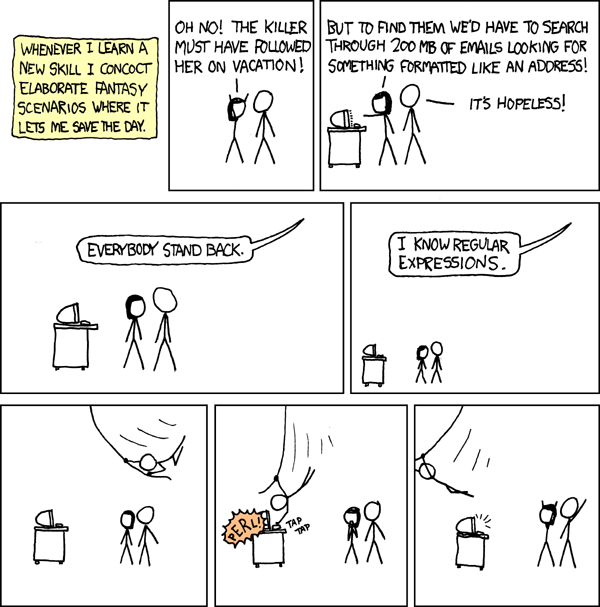
Courtesy of xkcd


Recommended Reading: Learn One Sed Command

John D. Cook has a nice blog post extolling you to learn just a little sed.
http://www.johndcook.com/blog/2011/04/19/learn-one-sed-command/

Saturday, April 23, 2011

Meaning of "Write-Only"

Chatting with Joan about the blog, I realized that the term "Write-Only" may not mean the same thing to everyone. To say what it means to me, I'll quote the jargon file:
write-only code /n./ [a play on `read-only memory'] Code so arcane, complex, or ill-structured that it cannot be modified or even comprehended by anyone but its author, and possibly not even by him/her. A Bad Thing.

Friday, April 22, 2011

Hello World!

At the SouthEast LinuxFest, on June 11, 2011, I'll be giving a talk on advanced regular expressions.  As a regex becomes more complex, it quickly becomes hard to read.  This idea inspired the blog name, Write-Only Code.  While that term typically carries a derogatory connotation, I'm embracing it here.  I hope to show how expressions may be built in a step-wise fashion with abstraction.  Even if the end result looks like line noise, the expression may be understood by the process of its construction.  Here's an example from a perl script:


s/^((?:"(?:\\.|[^"])+"|'[^']+'|[^#])*).*$/$1/; 


In the next post, I'll build this up in steps with explanations along the way.